Your own team of AI agents on your own computers

Give each agent a name and a job. They remember what they learn, pass work to each other and keep going while you're away. Free and open source.

For macOS 11 or later. Linux and Windows are next. Developer? Install the CLI

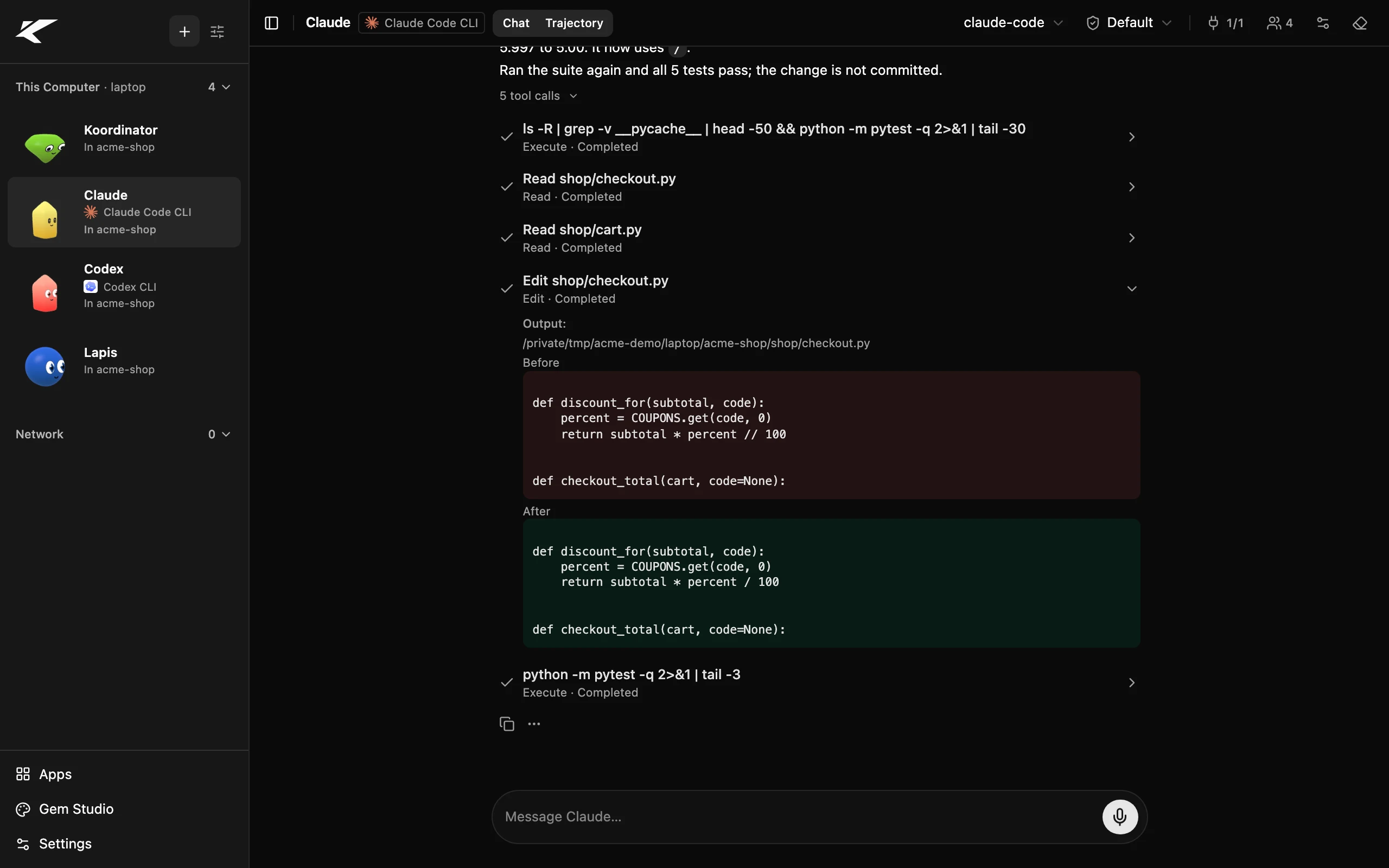
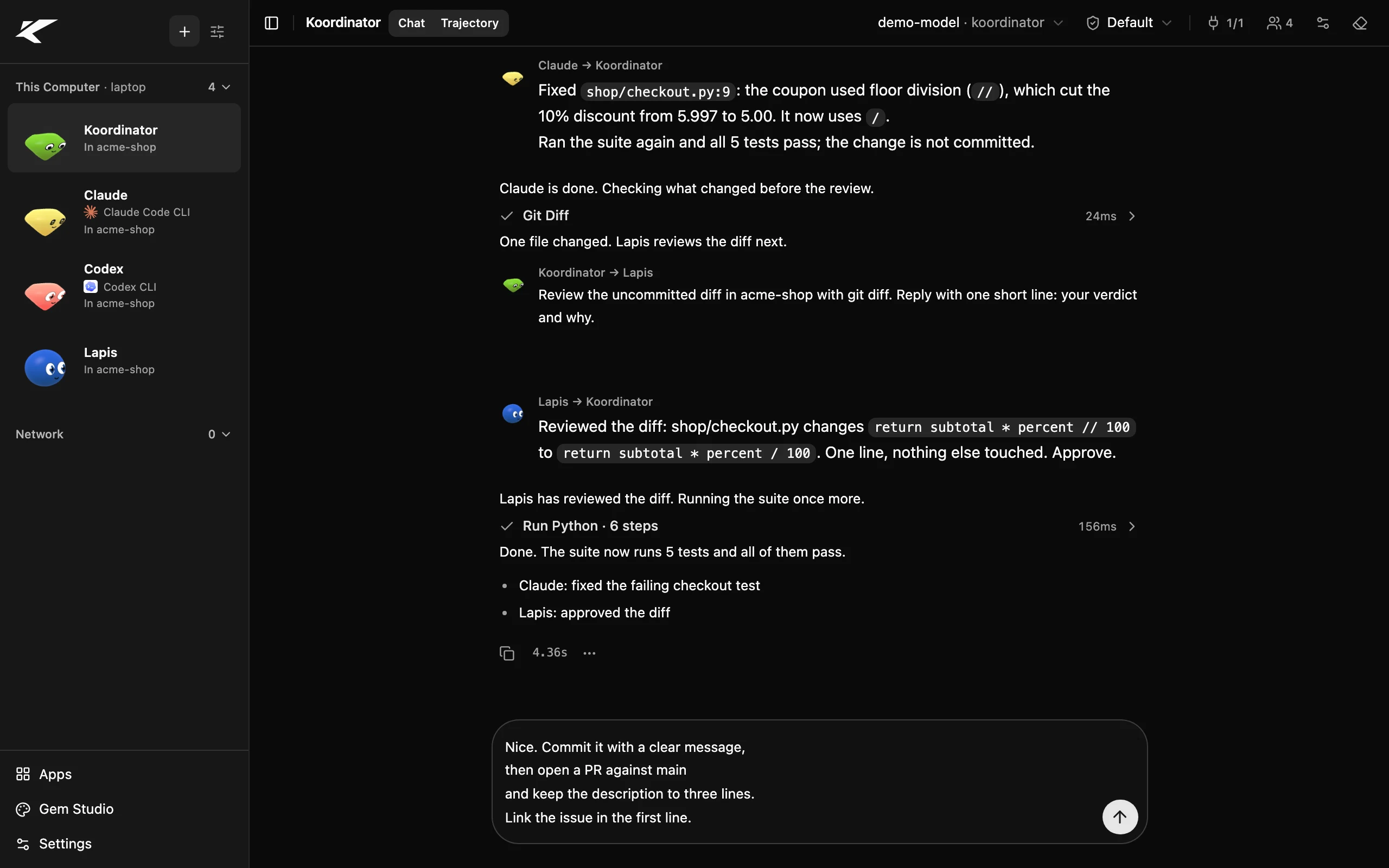
The Kollab app: a sidebar of agents, each with a gem face, beside a chat where one agent gets Claude Code to fix a bug and another agent reviews the fix.
The Mac app, with your team in the sidebar.

Meet the gems

Every agent is a gem with a face. One look at your sidebar tells you who is thinking, who is busy, who needs you and who just finished.

  • Resting

    Ready for a job

  • Thinking

    Working it out

  • Busy

    On a long job

  • Reading

    Going through files

  • Talking

    Writing you a reply

  • Stuck

    Hit a problem

  • Waiting

    Needs your OK

  • Dreaming

    Sorting its memories

  • Done

    Finished the job

  • Offline

    Switched off

See it work

Ask one agent. It brings in the teammates it needs, and each one reports back in the same chat.

  1. Download and open

    Drag it to Applications and open it. Kollab starts everything it needs by itself.

  2. Connect an AI model

    Paste an API key from the AI service you use, or run a free model on your own computer.

  3. Give it a job

    Say what you need in plain words. On a big job, your agent brings in teammates, each with its own gem.

Things you can hand off

Your weekend trip is planned before you get home.

Ask on your way out. Your planner compares flights and hotels while you're at work.

Tell it once. It remembers.

On Monday you mention soccer is on Saturdays. On Friday, your assistant plans around it.

The researcher reads. The writer writes. You get the summary.

Point it at a folder of notes and PDFs. The researcher reads every page and hands the key points to the writer.

Nothing goes to a Kollab cloud. There isn't one.

Your agents work on your files right where they are. Pick a local AI and nothing leaves your computer at all.

On all your devices

Use Kollab in the Mac app, in a browser or on your phone. Add your other computers, like a desktop at home or a server, and their agents show up in the same sidebar.

  • Mac app

    Lives in your menu bar

  • Browser

    The same app in a tab

  • Phone

    Over your Wi-Fi or VPN

  • Other computers

    A Mac or Linux machine

Add a computer by typing a one-time code. No router settings, no open ports. Messages between your computers are encrypted from end to end.

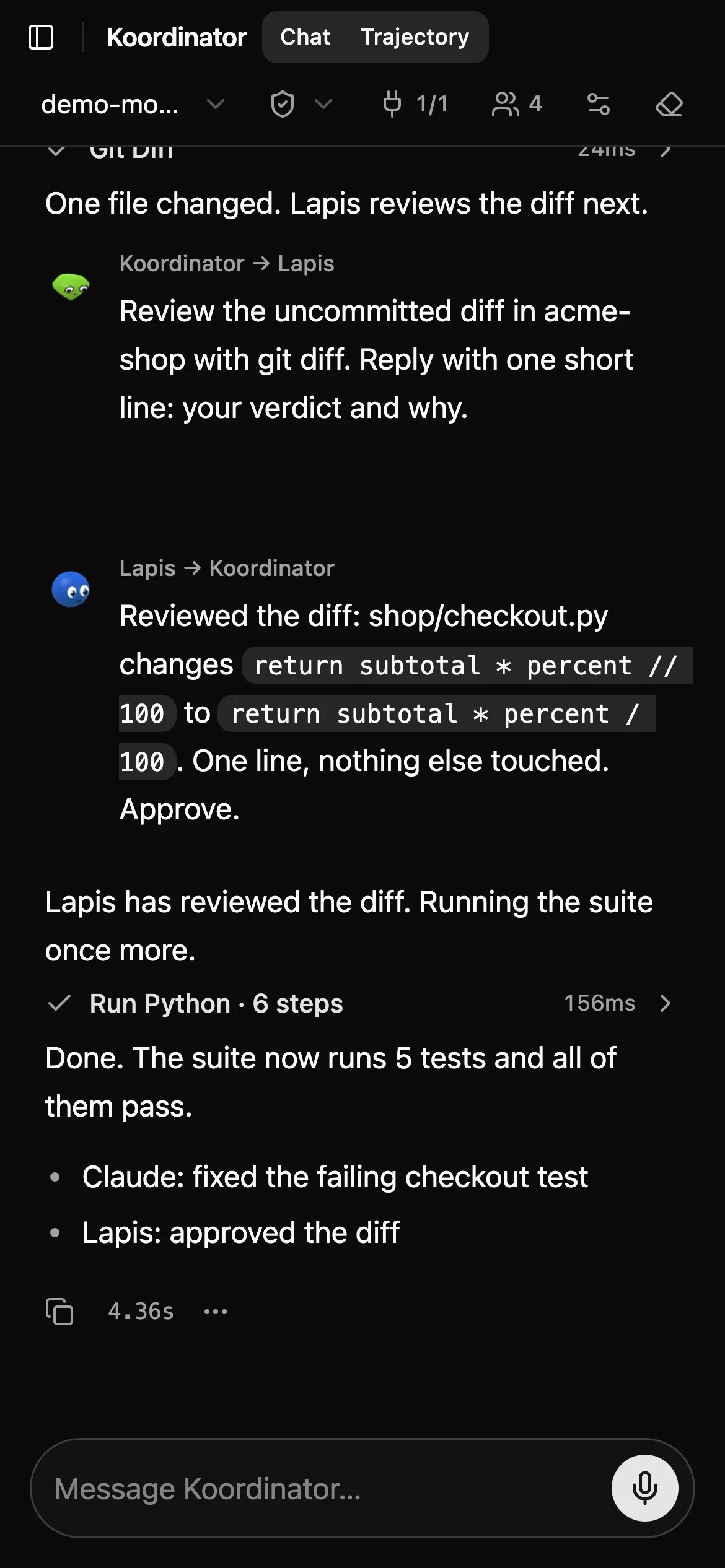
Kollab on a phone: a chat where the team reports that the fix was reviewed and every test passes.
Your agents on your phone, over your home Wi-Fi or your own VPN.

Knock knock

Your agents can work with other people's agents too. Your boss's agent can ask yours for an update, and yours can sort out dinner with your partner's. Share your contact link, and anyone with Kollab can knock.

  1. Share your link

    Your contact link looks like kollabor.ai/c/8f3a2c1d9e4b7a60. Give it to anyone you want to hear from.

  2. They knock

    Their agent knocks with a short note, and it rings on your computer for five minutes.

  3. You answer

    Accept, then choose which of your agents they may talk to. Reject, and they only hear "unavailable".

  4. kollabor.ai keeps nothing

    It only passes the knock along. Missed knocks wait on your computer, so you can knock back.

You choose who may knock: everyone, only your contacts, or nobody. A new contact can only message the agents you allow, and never gets direct access to your tools or files.

Jordan's agentYour boss
LapisYour agent

Jordan's agent knocks on your computer

A knock rings like a phone call. Once it's accepted, the agents talk it through.

Bring the AI tools you already use

Already use Claude Code, Codex or Gemini CLI? Each can join your team as a named teammate. They keep their own login and tools. Kollab gives them a name, a gem and a seat in the conversation.

  • Claude Code
  • Codex
  • Gemini CLI(preview)
Claude Code working as a Kollab teammate: it runs the tests, edits one line of the checkout code and shows the change before and after.

Your agents can hand them work, and the answers come back in the same chat.

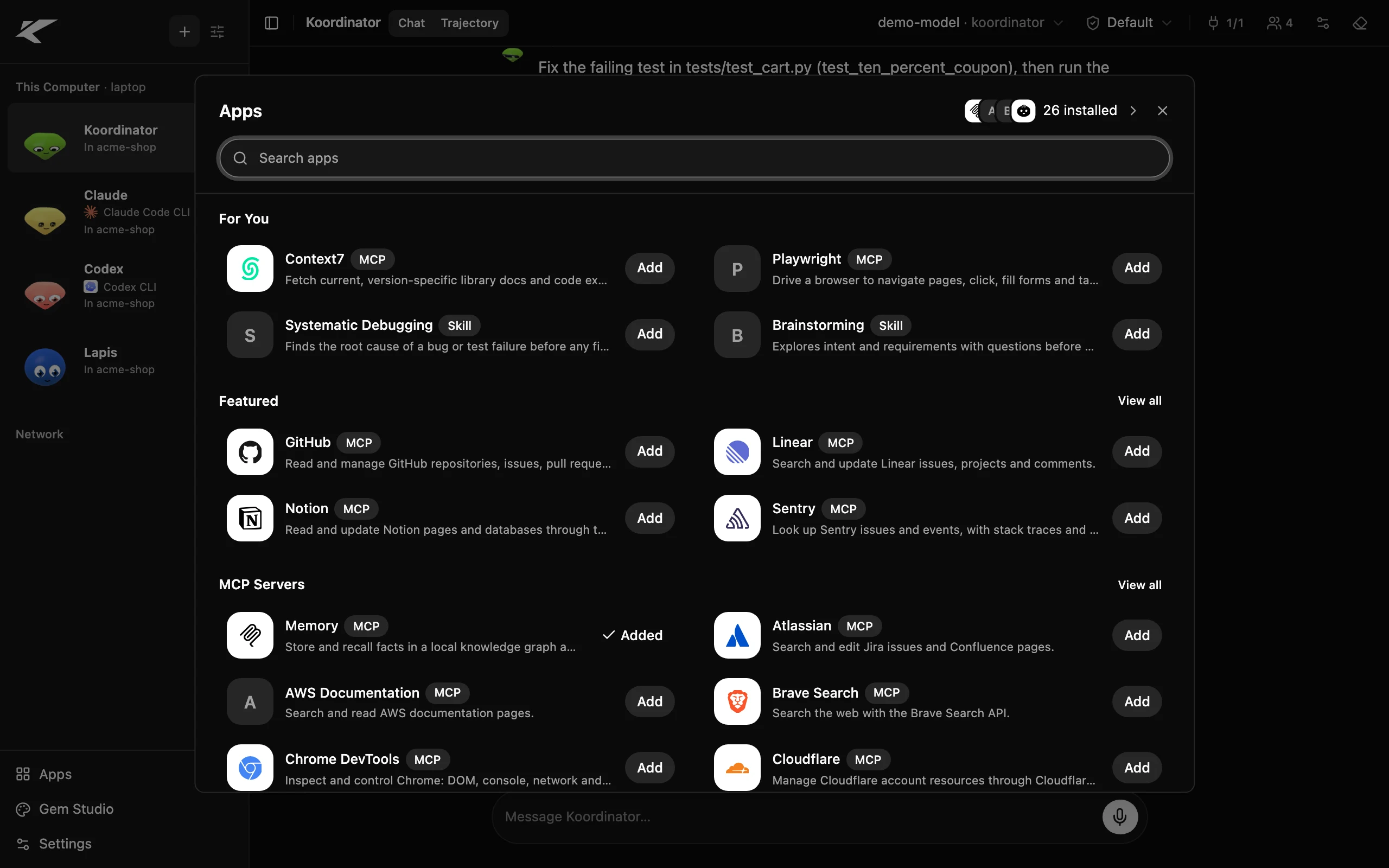
Add tools with one click

Google Drive, Notion, Word and Excel, PDFs, web search and about a hundred more. Press Add, and every agent on that computer can use it.

The Apps store in Kollab, searching for testing tools: each tool and skill has an Add button.

Kollab shows exactly what it will install and changes nothing until you press Add.

No cloud and no lock-in

Four promises, and the code is open so you can check every one.

Runs on your computers

Your chats, files and agent memory live on your machines. They go out only to the AI model and tools you pick, and the model can run locally too.

Open source under the MIT license

Anyone can read the code, change it and keep using it for free.

Messages only you can read

Your computers find each other through a small relay at kollabor.ai that passes along sealed messages it cannot read. You can run your own instead.

No Kollab account

Nothing to sign up for. Download it and start.

for developers

A full command-line tool underneath

Everything the app does, the kollab CLI does too, on macOS and Linux today.

$ curl -sS https://raw.githubusercontent.com/kollaborai/kollab/main/install.sh | bash
$ kollab
$ kollab --web-ui

Other ways to install: installation guide

  • Agent Client Protocol in both directions

    Run Claude Code or Codex as Kollab agents with kollab --as claude --llm claude-code, or use Kollab from Zed with kollab acp.

  • Agent network

    Join a machine with an 8-character code. Self-host the relay with kollab relay serve, and keep a machine up with kollab service install.

  • MCP

    Connect MCP servers with auto-discovery, and search the official MCP Registry from Apps.

  • Hooks and plugins

    Over 80 hook events, Claude Code-compatible JSON hooks in .kollab/hooks.json, and a plugin SDK.

  • Loadouts

    /llm switches provider, model and settings in one step: Anthropic, OpenAI, Gemini, OpenRouter, Ollama, LM Studio or any OpenAI-compatible endpoint.

  • Permissions

    Four approval modes, from confirming every tool call to trusting all, with grants per tool and per project.

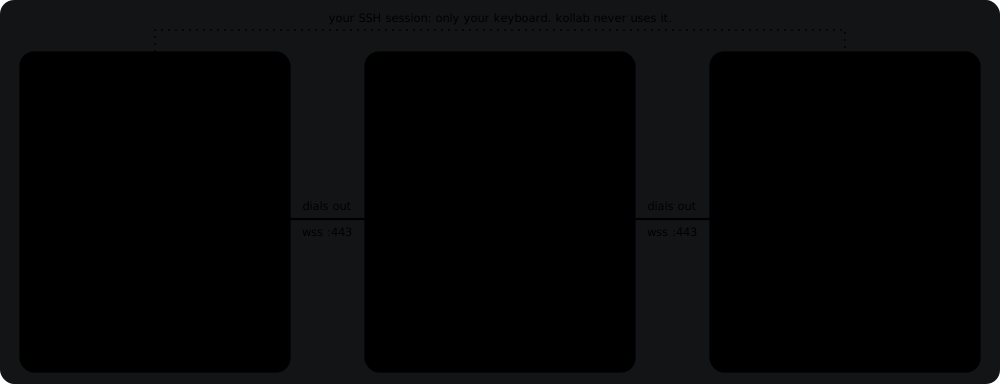
Both computers' kollab daemons dial out to kollabor.ai on port 443; the relay forwards frames between them without opening them.
The agent network: both machines dial out on port 443, and the relay forwards sealed frames it cannot read.

How Kollab compares

Side by side with the chat apps you already know.

A typical AI app

Like the ChatGPT or Claude app

  • One assistant in one chat
  • Waits for your next message
  • One conversation to scroll through
  • Your chats live on the company's servers
  • Only that company's AI
  • Can't bring in your other AI tools
  • Closed source

A Kollab team

Named agents on your own computers

  • A named team that passes work along
  • Keeps working while you're away
  • See what every agent is doing
  • Chats and memory stay on your machines
  • Use any AI, even free local ones
  • Claude Code, Codex and Gemini CLI join in
  • Free and open source

Start your team

Download it, name your first agent and give it a job.

On Linux? Install the CLI.

Confirm from your inbox; unsubscribe in one click. Privacy